

The numbers on this page came off real IBM i hardware
The tape library your IBM i thinks it has.
OpenVTL™ presents a bit-faithful IBM TS3100/TS3200 (3573) or TS3500 (3584) over Fibre Channel, with LTO drives up to LTO-9 on either library. Tapes land on ZFS, deduplicated and compressed, and export offsite to any S3 endpoint. It runs in one Debian VM. The whole stack is open source.
What it is
A tape library with no tape in it
Your backups see the same library they run against today. The disk behind it dedupes, compresses, and exports to S3.
OpenVTL is a free, open-source virtual tape library (VTL) for IBM i. It emulates an IBM TS3100/TS3200 (3573) or TS3500 (3584) tape library with IBM LTO drives up to LTO-9 over Fibre Channel, so the IBM i host and BRMS see a physical library. It runs as one Debian 13 virtual machine on any hypervisor, stores tape data on ZFS with zstd compression and global deduplication, and exports cartridges to any S3-compatible object store. The software costs nothing: releases are published on GitHub under the AGPL-3.0 license, with no license keys, no telemetry, and no outbound connections. Emerald Coast Technologies LLC, doing business as OpenVTL, develops it and sells optional support.
Indistinguishable from the library it replaces
OpenVTL emulates the IBM TS3100/TS3200 (3573) and TS3500 (3584) libraries bit for bit over Fibre Channel, with IBM LTO drives up to LTO-9 on both: standard labels, filemarks, multi-volume prompting, persistent reserve. You choose the library model, drive model, and label prefix; element addressing and serials follow from those, and the appliance keeps them stable across rebuilds. Re-point the device description, and run.
A month of fulls in the space of two
Tape data lands on ZFS with zstd compression and deduplication that spans the whole box, across cartridges and across libraries. At pool creation the appliance reads installed RAM and picks the dedupe granularity to match. Add memory and new pools catch more duplicate data.
Offsite is any S3 bucket
Vault a cartridge and the appliance exports it to your S3 endpoint in hashed chunks under a manifest that describes the whole cart. Lose the whole VTL and a fresh install rebuilds its catalog from a bucket listing, then recovers the library with serial and labels intact.
You bring updates to it
The appliance opens no outbound connections. You download an Ed25519-signed bundle, upload it in the web UI, and the appliance verifies the signature before touching anything. If a new build won't come up healthy, a watchdog rolls it back.
Why Fibre Channel
Backups on their own wire
Fibre Channel is what IBM i tape runs on. Tape libraries attach over FC and the host already speaks it; OpenVTL shows up where the library used to be.
And the backup path has no IP address on it. No LAN, no routable address, nothing a network can reach, and no competition with production traffic. The transport is the isolation.
Direct attach and fabric switch both work; both were validated against IBM i.
Field measurements
What retention costs on disk
Each retained full-system backup arrives from the host as a complete write. The pool absorbs what repeats. We measured it on IBM i hardware over Fibre Channel: 7.3 TiB written against 577 GiB on disk, with the marginal cost per backup settling near the churn between saves.
- Retained fulls
- 30 / 30
- Written by the host
- 7.3 TiB
- On disk
- 577 GiB
- Reduction
- 12.9×
View the measured data
| Fulls retained | Written (cum.) | On disk | Reduction |
|---|---|---|---|
| 1 | 249 GiB | 171 GiB | 1.5× |
| 4 | 996 GiB | 389 GiB | 2.6× |
| 10 | 2.4 TiB | 527 GiB | 4.7× |
| 20 | 4.9 TiB | 552 GiB | 9.0× |
| 30 | 7.3 TiB | 577 GiB | 12.9× |
Methodology: identical full-system saves (GO SAVE 21) of a ~250 GiB IBM i, accumulated on one appliance with none expired. A clean dataset is the friendliest case for deduplication, so read the trend rather than the endpoint; real retention adds each day's changed data. Marginal cost settled near 2.5 GiB per retained full and ingest stayed flat throughout. The sizing calculator applies these constants to your own workload with conservative margins.
The face of it
See it running
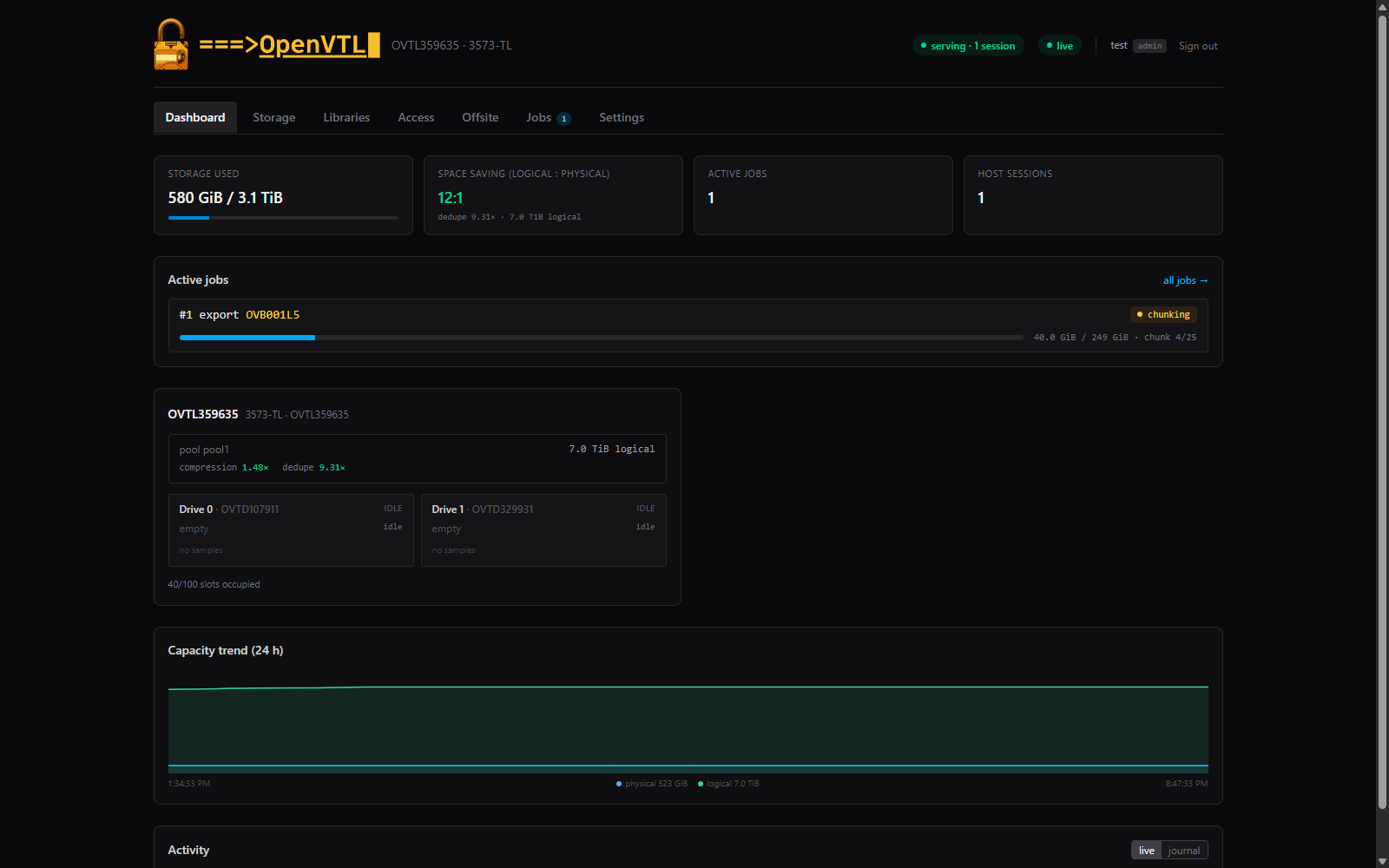
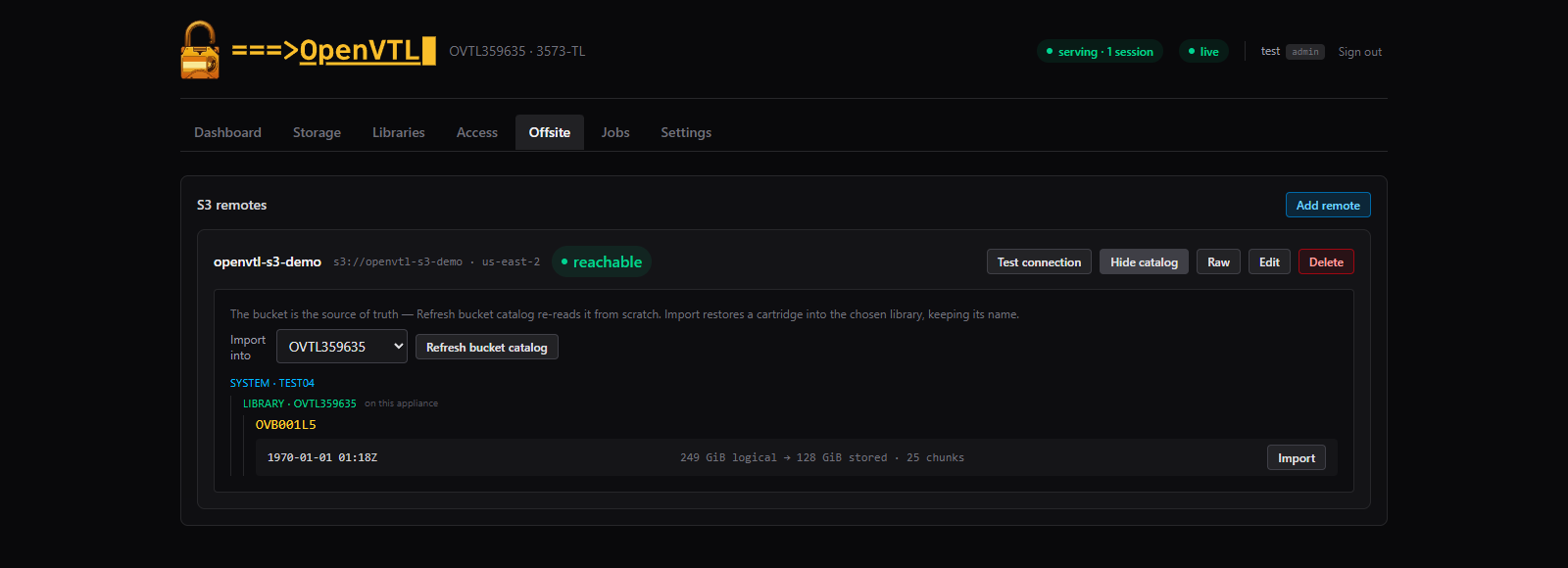
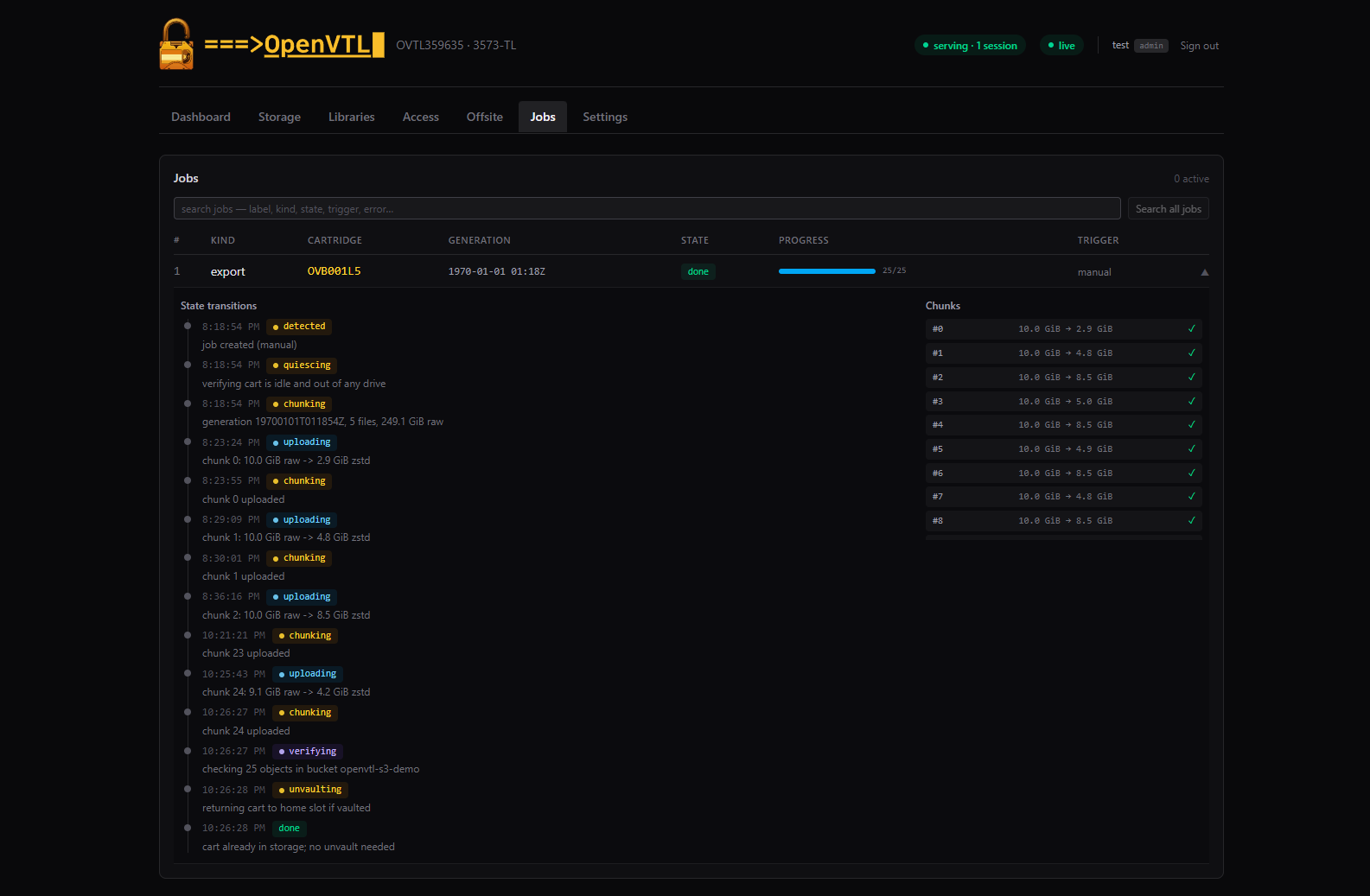
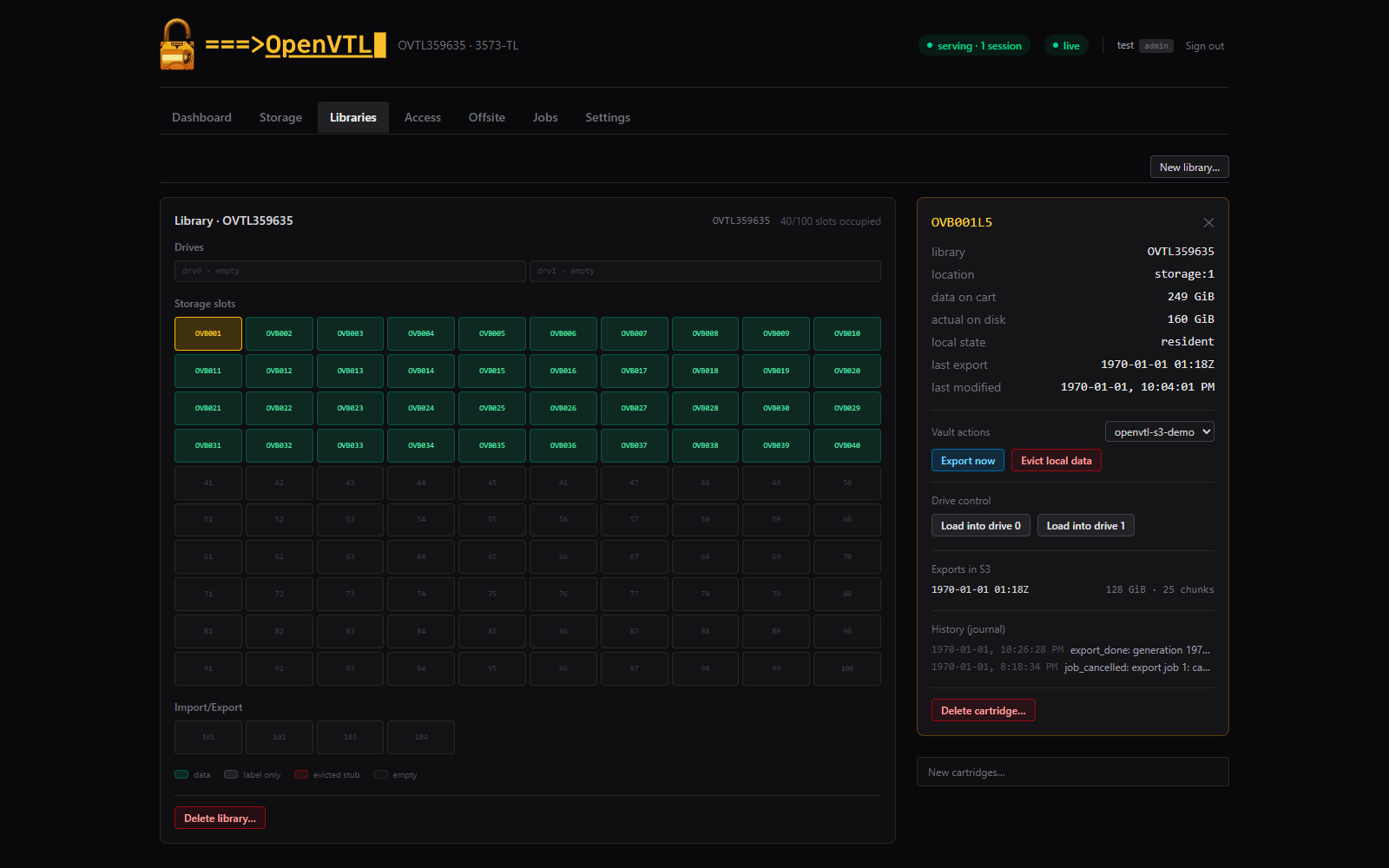
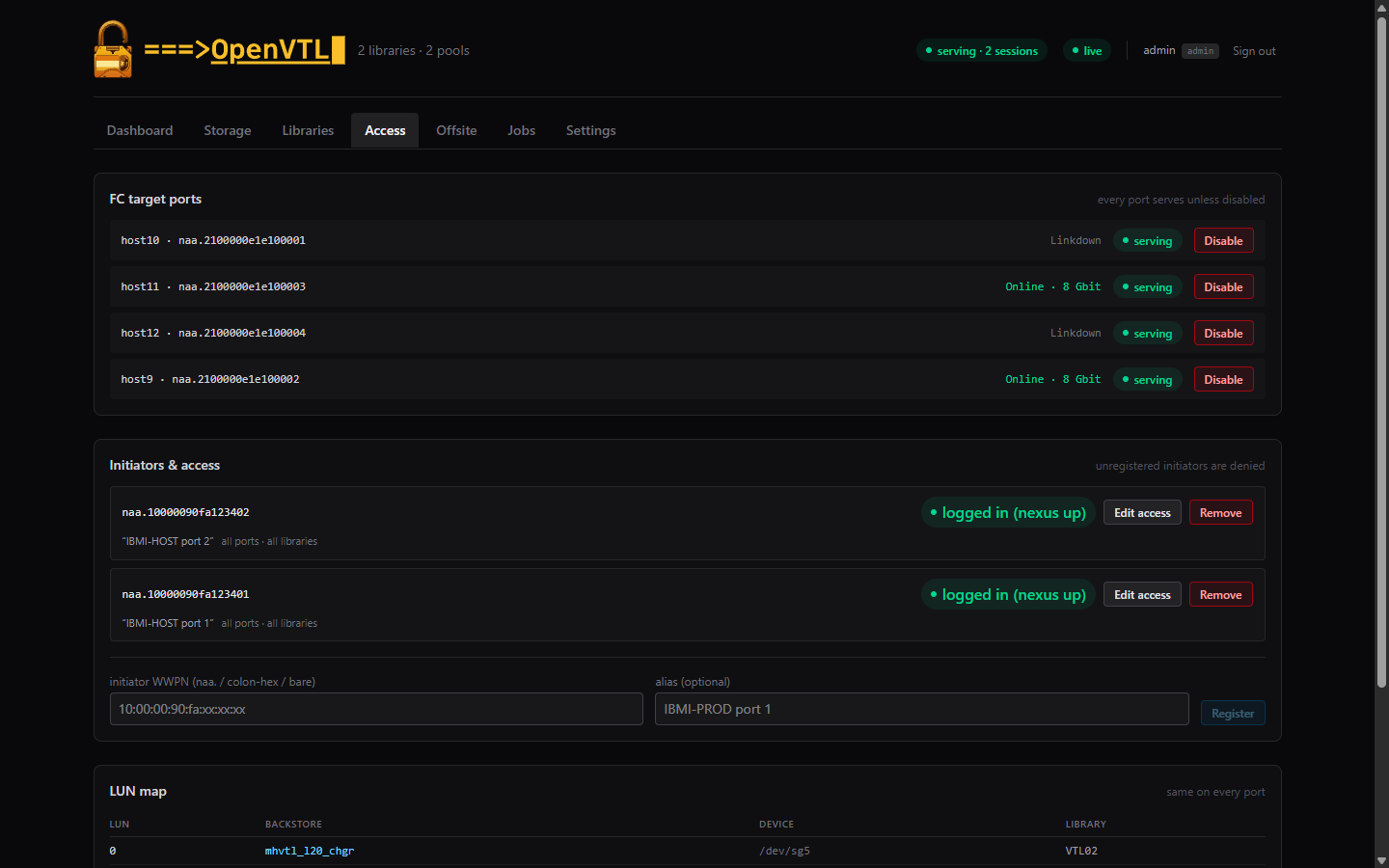
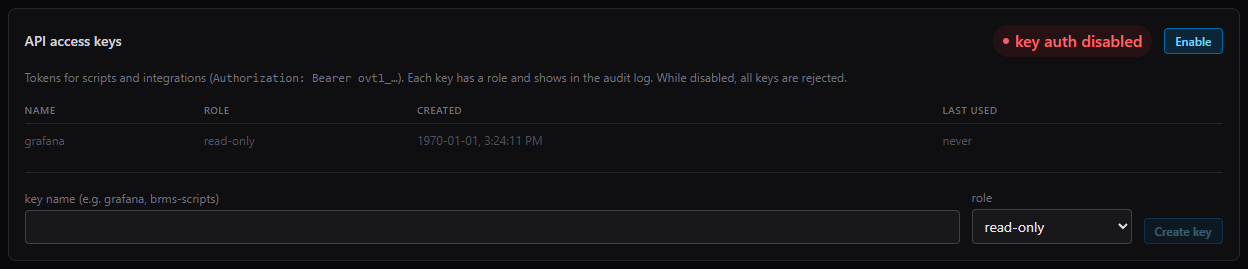
Screenshots from a live appliance as it sits: 7.0 TiB of retained backups in 580 GiB of disk, with the accounting on each card.
How it lands
From empty VM to first save in an afternoon
- 01
Build the VM
Any hypervisor. 2 vCPU at minimum (the measured boxes ran 4), 4 GiB of pinned RAM or more, an OS disk, raw data disks, and one SSD for the dedupe table. Pass the QLogic FC HBA through to the VM.
reference spec included - 02
Run the installer
One idempotent script on a minimal Debian 13. It builds the DKMS modules, configures the target stack, and refuses to finish until a 16-point verify is green.
install.sh --verify · 16/16 - 03
Commission in the browser
First-run admin, then claim the disks, create the library, enable the targets, and mint cartridges. You never open a shell.
https://appliance:8443 - 04
Re-point the IBM i
Vary the device on and the host discovers the library identity your media was enrolled against. Cutover is one device description.
no BRMS re-enrollment
Why shops switch
Built to be owned
No license to expire
Nothing expires. There is no renewal, and no contract whose end strands a working appliance: it keeps running whether or not you're paying us. The whole stack is free software.
Never phones home
The appliance makes zero outbound connections and carries no telemetry. It derives its own support key on the box, offline.
Kernel updates are a non-event
Both out-of-tree modules rebuild through DKMS when apt moves the kernel, with no manual steps.
BRMS identity preserved
Your media stays enrolled. You choose the library model, drive model, and label prefix to match what BRMS already knows; element addressing and serials follow from those and survive recovery, and cutover is one device description.
Any hypervisor, 4 GiB floor
Proxmox, ESXi, KVM: anything that pins 4 GiB and passes the FC HBA through runs OpenVTL. Add RAM and new pools dedupe at finer granularity.
DR from a bucket listing
A fresh appliance rebuilds its catalog from the bucket alone and recovers a lost library, serial and labels intact. Exports carry their own manifests; nothing else is needed.
Two ways to run it
Releases are free. Support is what we sell.
Run it yourself
A release from GitHub is the complete product. Build it from source if you prefer, and read the code that sits between your backups and your disks. Scripts and integrations get the same REST API the UI uses, gated by role-scoped access keys. Development happens in public.
Get it on GitHubRun it with an engineer behind you
For production IBM i estates. A subscription gets you signed update bundles through the support portal, sizing and cutover help, and US-based support. Coverage windows and response targets are set in your quote. The support key in your appliance's Settings links it to your account; the appliance itself sends nothing.
Questions operators ask
FAQ
Will BRMS need re-enrollment?
No. You choose the library model, drive model, and label prefix to match the identity your media is enrolled against; element addressing and serials are assigned per model and preserved across recovery. We validated BRMS and the native commands (SAVLIB, SAVOBJ, GO SAVE) against real IBM i hardware over Fibre Channel.
What does it need to run?
One Debian 13 VM on any hypervisor: 2 vCPU and 4 GiB of pinned RAM as the floor, a ~50 GB OS disk, one or more raw data disks, and a dedicated SSD for the dedupe table. More RAM buys finer dedupe granularity; the appliance behind this page's numbers ran 4 vCPU and 31 GiB. The IBM i attaches over Fibre Channel through a passed-through QLogic HBA.
Which FC HBAs work?
Any QLogic HBA the Linux qla2xxx driver supports, passed through to the VM as a PCIe device and run in target mode through tcm_qla2xxx; the installer configures the mode switch. In the lab we validated QLE2562 and QLE2664 cards against IBM i, direct-attached and through a fabric switch, and every published measurement was taken on the QLE2562.
Is it free?
Yes. The whole stack is free and open source software, the licenses page in the footer names each component, and the release you download from GitHub is the complete product. A support subscription adds signed update bundles through the support portal, sizing and cutover help, and US-based support, with coverage windows and response targets set in your quote.
How do updates work if it never connects out?
You bring the update to it. Download a signed bundle, upload it in Settings → Updates, and the appliance verifies the Ed25519 signature and every file hash before applying. If the new build doesn't come up healthy, a watchdog rolls back to the previous binary and database on its own.
Can I script against it?
Yes. The web UI drives the appliance's REST API, and your scripts get the same API through role-scoped access keys: Settings issues the Bearer tokens, each key is admin or read-only and shows in the audit log. Key auth stays off until you enable it, and the Prometheus metrics endpoint is off until you turn it on. Structured logs feed your monitoring. REST API reference
Who can see the tape devices?
Only initiators you register. OpenVTL denies unregistered WWPNs at the kernel, and each registered initiator carries its own scope: all ports and libraries, or exactly the ones you pick. Scope an initiator to one library and it logs in seeing only that library's devices. Registry changes apply live, without touching other hosts' sessions.
Can the IBM i attach over iSCSI?
No. OpenVTL is Fibre Channel only today; iSCSI attach would need future development.
What happens if the appliance is lost?
Exported cartridges sit in your S3 bucket as self-describing archives. Stand up a fresh appliance, point it at the bucket, and it rebuilds its import catalog from a listing and recovers the library under its original serial and labels. Nothing about recovery depends on the appliance you lost.
Run your own numbers
Put your save size, retention, and daily churn into the sizing calculator. It uses the constants measured above with conservative margins.